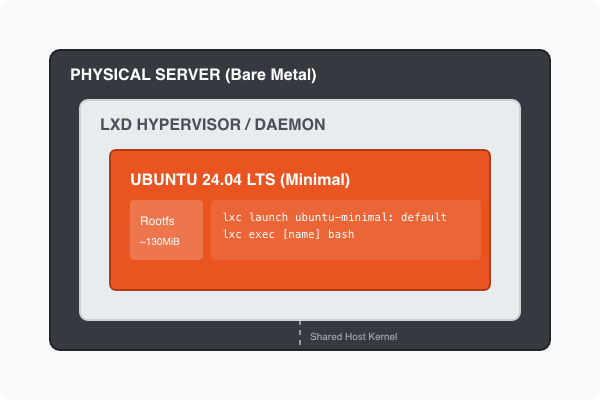
When working with LXD, most users default to the standard ubuntu: remote. While reliable, those images are designed for general cloud use and can be unnecessarily “heavy.” If you want a leaner, faster, and more secure container, you should be using Ubuntu Minimal.
In this guide, we’ll skip the confusing image tables and show you the exact command to get a stable LTS environment every time using the latest standards for 2026.
Why Choose Minimal?
The “Minimal” Ubuntu images are stripped of unneeded packages, reducing the image size significantly. This results in:
- Faster Boot Times: Fewer services starting up.
- Smaller Footprint: Saves disk space and bandwidth (often under 150MB).
- Enhanced Security: A smaller attack surface means fewer vulnerabilities.
The Secret: Using the default Alias
As of February 2026, the latest stable Long Term Support (LTS) version is Ubuntu 24.04 LTS. Instead of hardcoding version numbers or hunting for fingerprints in a massive list, we use the default alias provided by the ubuntu-minimal remote.
1. Launch the Container
Run the following command in your terminal. This tells LXD to pull from the minimal server and use the current recommended LTS:
lxc launch ubuntu-minimal:default my-container2. Verify Your Environment
Once the container is running, verify that you have the correct version. You’ll notice the OS version reflects the current stable release:
lxc exec my-container -- hostnamectl3. Essential First Steps
Because the image is minimal, common tools like curl or vim are not pre-installed. Your first move should be a quick update and installation of your core toolkit:
# Update and install basics
lxc exec my-container -- apt update && apt upgrade -y
lxc exec my-container -- apt install curl vim -y| Goal | Remote:Alias |
|---|---|
| Latest Stable LTS | ubuntu-minimal:default |
| Specific Version | ubuntu-minimal:24.04 |
| Bleeding Edge | ubuntu-minimal:m |
By using ubuntu-minimal:default, you ensure your workflow is both lightweight and consistently up-to-date with the latest LTS patches.